Aspect-based sentiment analysis in Peak News: what gets criticised and praised in the channels
Last time the mayor had a bad week. Negative posts went from 18% to 57%, the bridge never opened, and pigeons moved in.
Topic coverage showed that the mood had changed. Why it changed, you had to work out yourself: open the topic, read thirty posts, finish your coffee. Then make another one.
Now the explanation is on the page itself. Topic coverage has aspect-based sentiment analysis or, simply put, reasons: what exactly each topic is criticised or praised for in the channels.
What a reason is
A few words that sum up the complaint or the praise. Say a channel writes:
The contractor has not been paid since spring. Ask the mayor where the money went.
This criticises the mayor, and the reason is: unpaid contractor.
A reason is worked out for every post that judges a topic. Posts about the same thing, even in different words, come down to one reason, so they can be counted. A post that only reports the news has no reason, because it makes no judgement. A post that complains about several things at once gets several reasons.
Why it is useful
A percentage shows that the mood has changed. Reasons explain why, and you no longer have to read every post to find out.
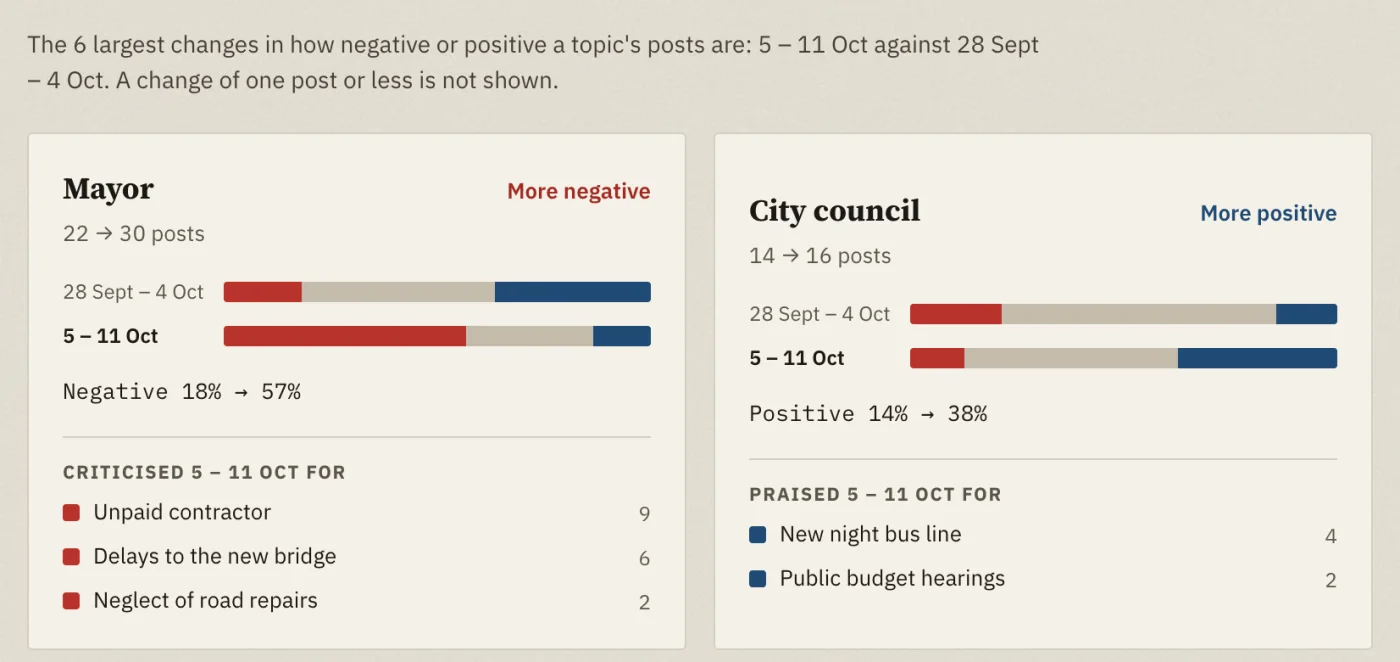
The point is clear at once. Thirty posts about the mayor fit into three reasons. Each one can be checked: one click, and the posts themselves are in front of you.
No more guessing. First guess: the mayor is being criticised over the bridge. Everyone saw the bridge, and the pigeons on it. But the unpaid contractor comes up most often, and the bridge is only second.
You can see what the disagreement is really about. One channel against the mayor, the other for. It looks like an argument, but each is writing about something else: riverside_voice about money and delays, townhall_today about the bridge opening.
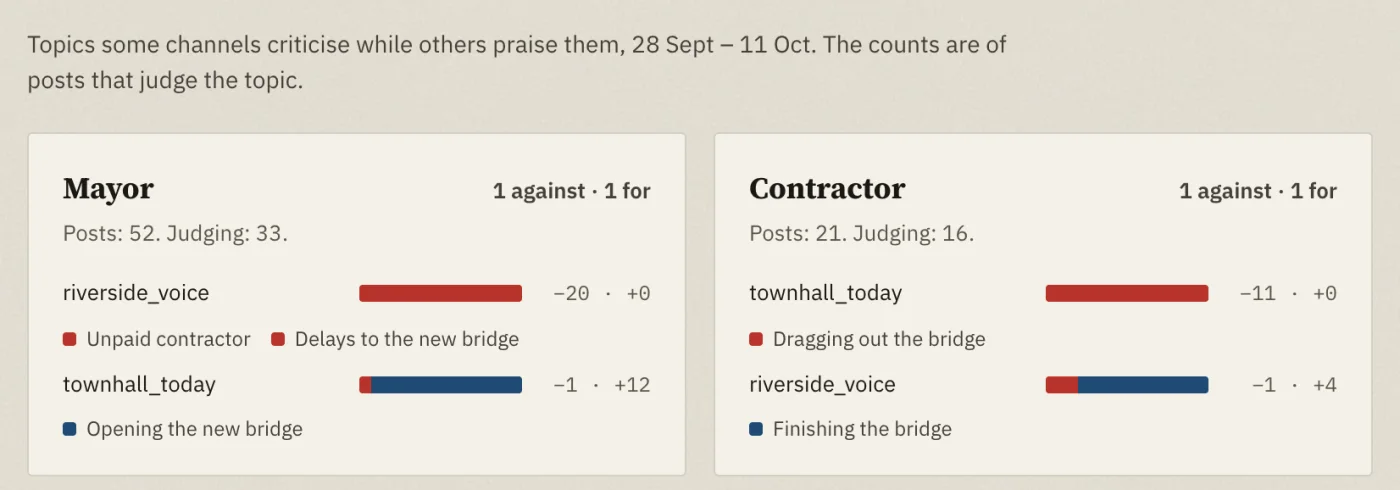
The mayor is only an example. It could be a competitor, a ministry or your own product. The idea is the same: not just "criticised more", but what for.
How to use it
Nothing to switch on. Reasons are in Topic coverage, which comes with Statistics in your plan.
- Pick a subscription and a period. Reasons show right away: on the Attention and Tone shifts tabs under each topic, on the Where channels disagree tab under each channel.
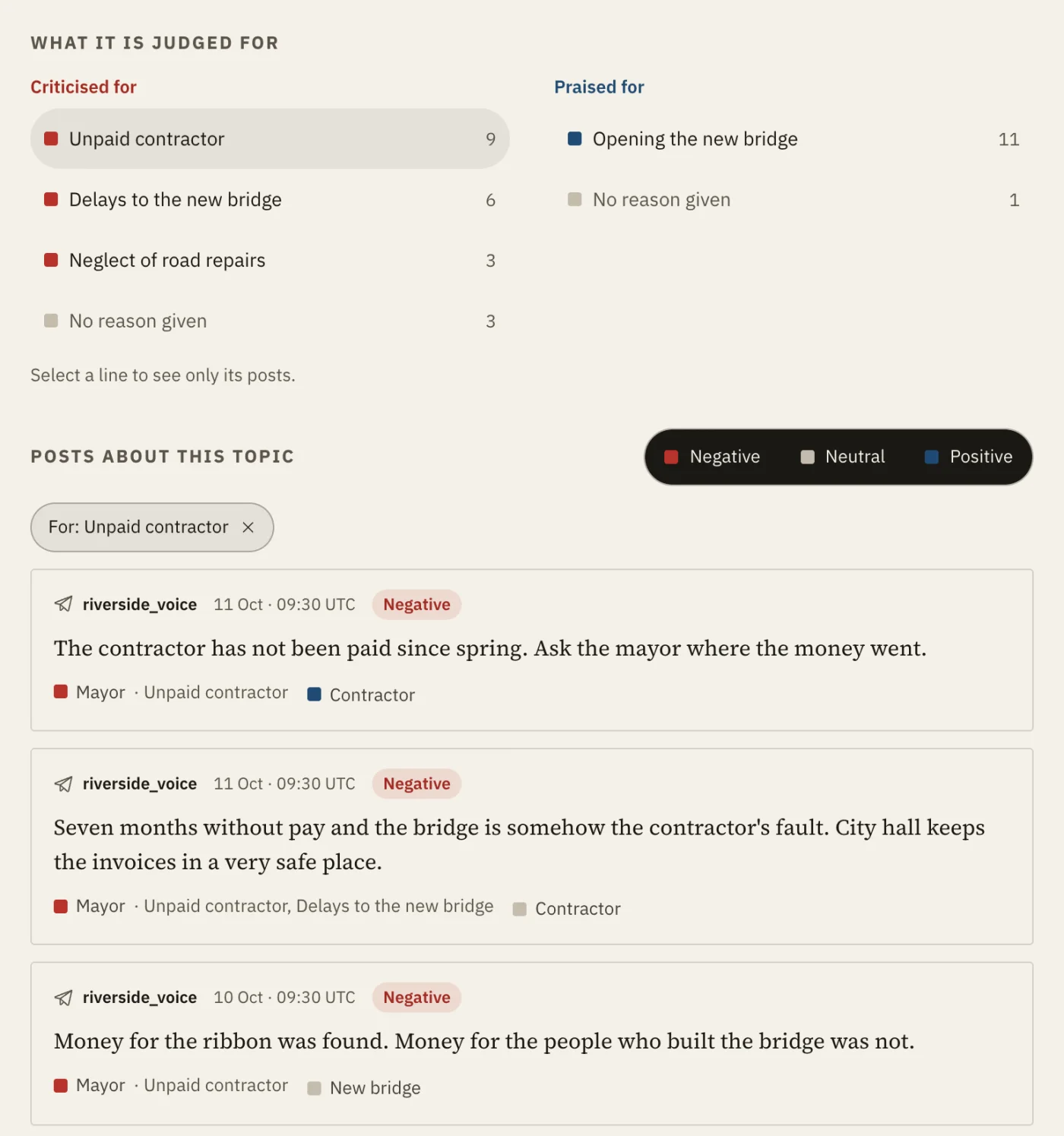
- Click a topic. Everything about it appears below. The What it is judged for block collects all its reasons, each with its number of posts. You can pick another topic from the list above the chart.
- Click a reason. Only the posts giving it remain. Click again to bring them all back.
- Read the posts. Each shows its reason next to the topic. Click another topic on a post, and only posts about both remain.
There are limits. A reason reflects what the channels write, not what really happened. Nine posts about a debt do not prove there is one.
And not every post makes its reason clear:
Our mayor. That is all you need to know.
Clearly negative, but what for is anyone's guess. Posts like this are marked "No reason given". So are most posts from before the end of October, when reasons did not exist yet.
Meanwhile, city hall has paid the contractor.
riverside_voice could not resist:
Paid at last. Seven months late, and only because people started asking.
The reason has changed. The tone has not.